


下载 OpenSSH
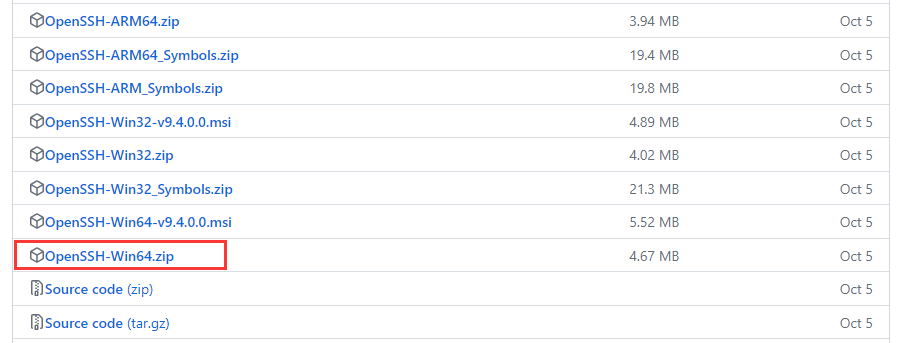
安装ssh服务
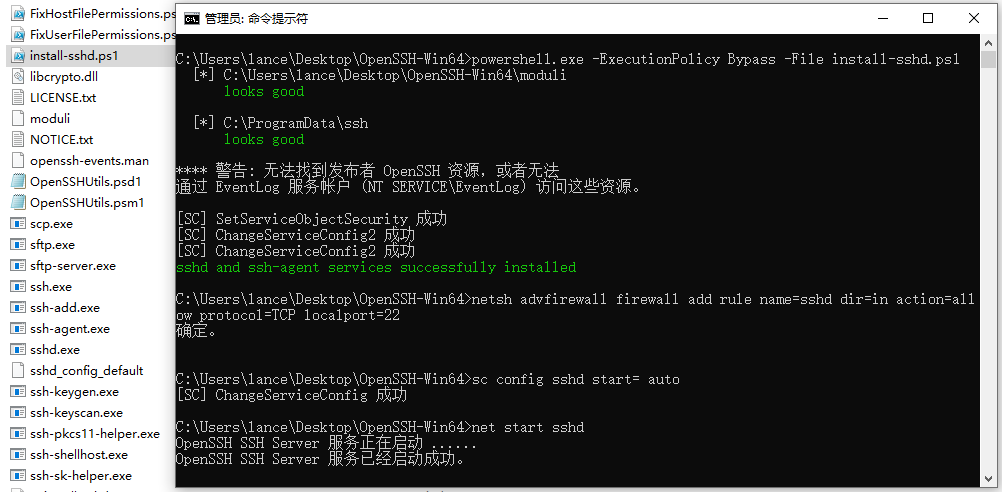
下载好后解压,以管理员省份运行 cmd,进入 OpenSSH-Win64 目录,输入以下命令:
// 安装ssh服务
powershell -ExecutionPolicy Bypass -File install-sshd.ps1
// 开放22号端口
netsh advfirewall firewall add rule name=sshd dir=in action=allow protocol=TCP localport=22
// 设置sshd开机自启
sc config sshd start= auto
// 开启sshd服务
net start sshd
// 查看是否开启22号端口
netstat -ano | findstr :22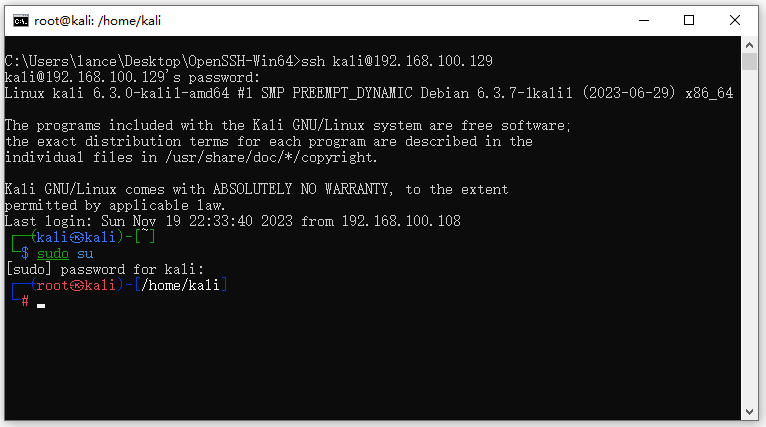
// 通过ssh连接目标主机
ssh 用户名@IP地址

// 例如:
ssh kali@192.168.100.129



评论 (0)