


简介
闲的无聊,写了一个基于 easyocr 图片转文字,用到了异步和websocket进行传输,图片是用base64编码后进行上传一次性识别图片文字并返回结果给请求端,在上传过程中图片不会保存到服务器上,这样也就避免了文件上传的安全性,同样在后端也做了一些安全限制,至于更安全些可以采用其它的方式比如验证等等。
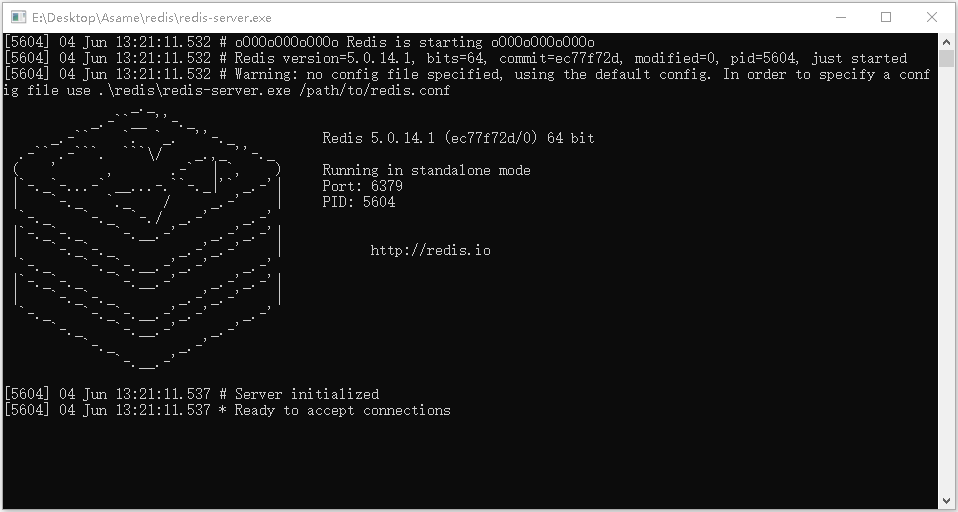
后端服务代码
import easyocr
import base64
import hashlib
import redis
import asyncio
import websockets
import json

max_size = 10 * 1024 * 1024

valid_formats = [
    'data:image/png;base64',
    'data:image/jpg;base64'
]

reader = easyocr.Reader(['ch_sim', 'en'], gpu=True)
cache = redis.StrictRedis(
    host='127.0.0.1',
    port=6379,
    password='@D208522',
)

async def ocr(websocket):
    async for message in websocket:
        try:
            if isinstance(message, str):
                message = json.loads(message)

            image_data = message.get('image')
            if not image_data or not any(image_data.startswith(fmt) for fmt in valid_formats):
                await websocket.send(json.dumps({'error': 'Invalid image format.'}))
                continue

            _, image_data = image_data.split(',', 1)
            image_bytes = base64.b64decode(image_data)

            if len(image_bytes) > max_size:
                await websocket.send(json.dumps({'error': 'Image too big.'}))
                continue

            cache_key = hashlib.md5(image_bytes).hexdigest()
            text = cache.get(cache_key)
            if text:
                await websocket.send(json.dumps({'status': 200, 'text': text.decode('utf-8')}))
                continue

            results = reader.readtext(image_bytes)
            text = '\n'.join([result[1] for result in results])
            cache.set(cache_key, text, ex=3600)
            await websocket.send(json.dumps({'status': 200, 'text': text}))

        except Exception as e:
            print(e)
            await websocket.send(json.dumps({'status': 500, 'text': 'Unknown error.'}))

async def start_server(host: str):
    async with websockets.serve(ocr, *host, max_size=max_size):
        await asyncio.Future()

if __name__ == '__main__':
    host = ("127.0.0.1", 5000)
    asyncio.run(start_server(host))
接口请求代码
import asyncio
import websockets
import base64
import json

async def send_image():
    async with websockets.connect('ws://127.0.0.1:5000/') as websocket:
        with open('E:\\Desktop\\1.png', 'rb') as f:
            image_data = f.read()

        image_base64 = base64.b64encode(image_data).decode('utf-8')
        message = {'image': 'data:image/png;base64,' + image_base64}
        await websocket.send(json.dumps(message))

        result = await websocket.recv()
        jsonText = json.loads(result)
        print(jsonText['text'])

if __name__ == '__main__':
    asyncio.run(send_image())
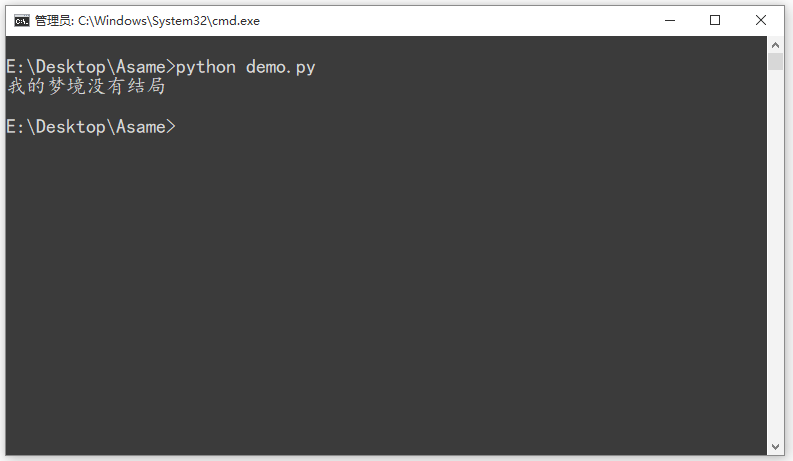
这里我截了一张文字图,用API的方式调用了下,返回的效果还是准确的,有些文字会识别不准确,但整体来说效果还是可以的。
前端代码
<!DOCTYPE html>
<html>
<head>
    <meta charset="utf-8" />
    <title>OCR Demo</title>
    <style>
        body {
            background-color: #f0f0f0;
        }

        .view {
            margin: 30px auto;
            max-width: 400px;
            padding: 50px;
            background-color: rgb(255, 255, 255);
            border-radius: 15px;
            box-shadow: 0px 3px 10px rgb(0 0 0 / 20%);
        }

        .container {
            display: flex;
            flex-direction: row;
            align-items: center;
            justify-content: space-between;
            margin-bottom: 20px;
        }

        #imageInput {
            display: none;
        }

        label[for="imageInput"] {
            background-color: #007bff;
            color: white;
            padding: 10px;
            border-radius: 5px;
            cursor: pointer;
            box-shadow: 0px 3px 10px rgb(0 0 0 / 20%);
        }

        button {
            width: 60px;
            background-color: #007bff;
            color: white;
            padding: 10px;
            border: none;
            border-radius: 5px;
            cursor: pointer;
            box-shadow: 0px 3px 10px rgb(0 0 0 / 20%);
        }

        button:hover {
            background-color: #d90000;
        }

        #result {
            border-radius: 10px;
            font-size: 16px;
            text-align: center;
        }
    </style>
</head>

<body>
    <div class="view">
        <div class="container">
            <label for="imageInput">上传图片</label>
            <input type="file" id="imageInput" />
            <button onclick="submitImage()">提交</button>
        </div>

        <div id="result"></div>
    </div>
    <script>
        const websocket = new WebSocket('ws://127.0.0.1:5000');

        function submitImage() {
            const file = document.getElementById("imageInput").files[0];
            if (!file) return;

            const reader = new FileReader();
            reader.onload = function (event) {
                const image_data = event.target.result;
                websocket.send(JSON.stringify({ image: image_data }));
            };
            reader.readAsDataURL(file);
        }

        websocket.onmessage = function (event) {
            const response = JSON.parse(event.data);
            if ('text' in response) {
                document.getElementById('result').innerText = "识别结果:" + response.text;
            } else if ('error' in response) {
                document.getElementById('result').innerText = 'Error: ' + response.error;
            }
        };
    </script>
</body>

</html>




评论 (0)