


简介
MySQL是一种关系数据库管理系统,关系数据库将数据保存在不同的表中,不是将所有数据放在一个大仓库内,这样就增加了速度并提高了灵活性,简单的来说就是用来存储数据的,它由于其体积小、速度快、还是开放源码的,一般中小型网站的开发都选择 MySQL 作为网站数据库。
登录mysql
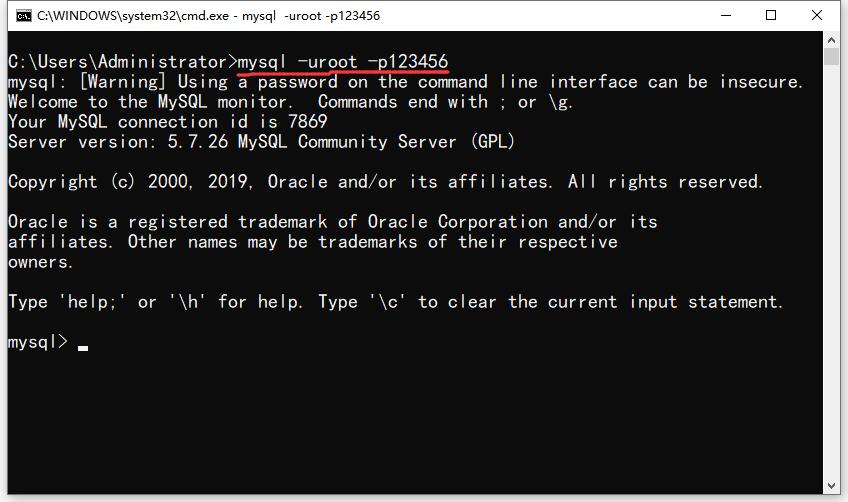
net start mysql(服务名)    # 启动MySQL服务
net stop mysql              # 停止服务

mysql -h 主机名 -u 用户名 -p # 登录数据库
# 示例:mysql -h localhost -u root -p123456
show 显示数据库
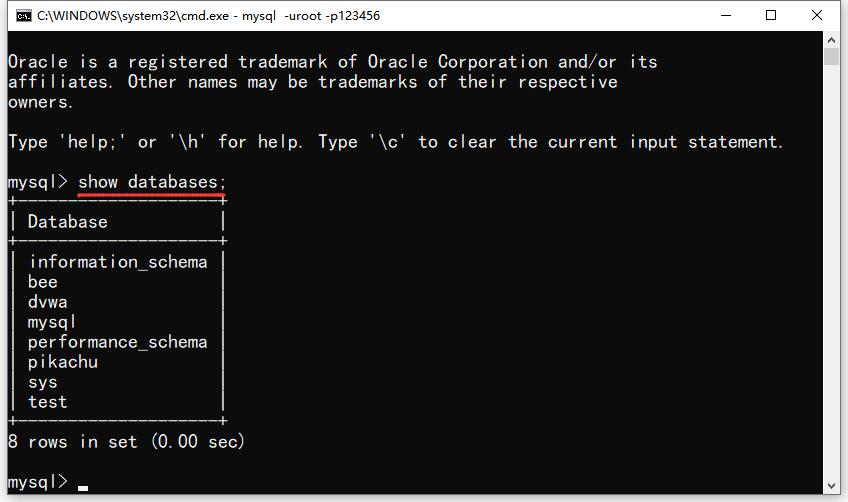
show databases; # 查看数据库create 创建数据库
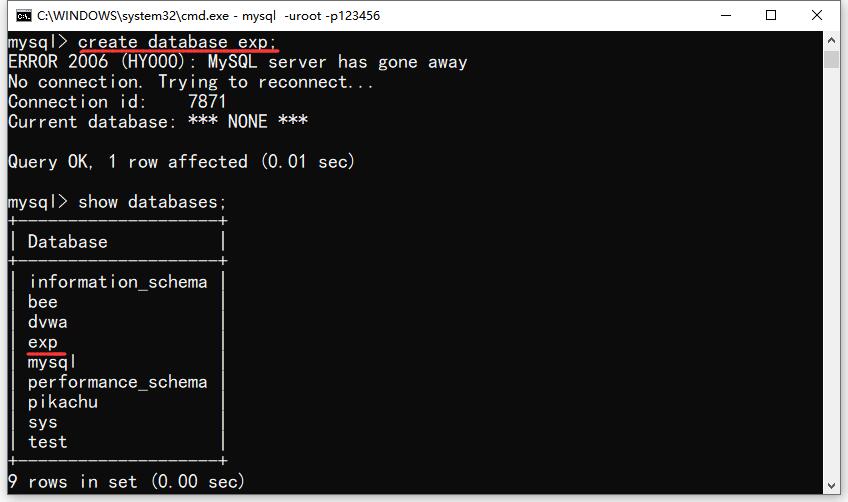
create database exp; # 创建数据库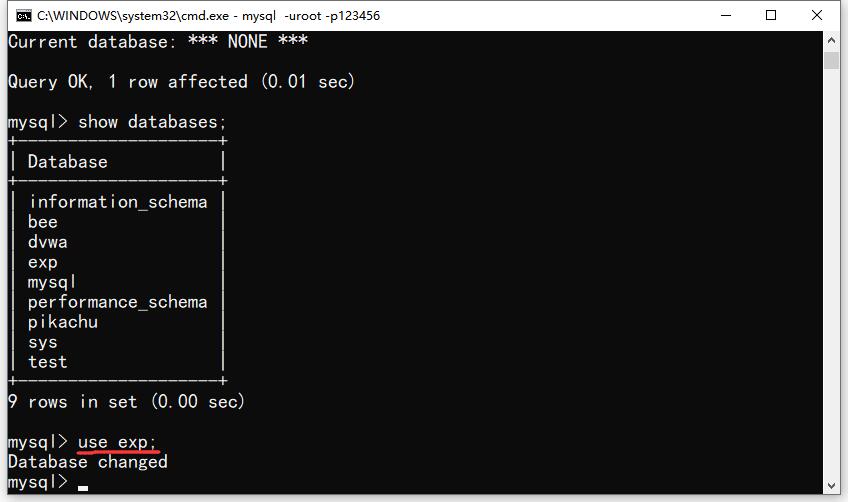
use exp; # 使用数据库create 创建表
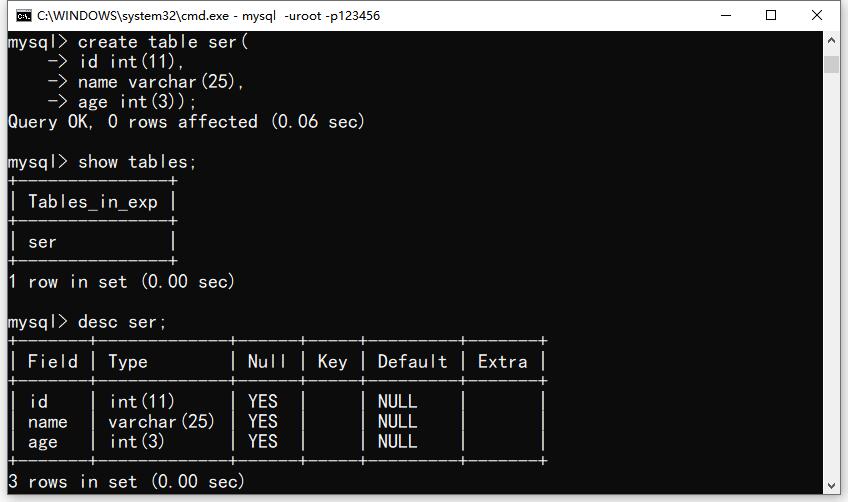
create table ser(
id int(11),
name varchar(25),
age int(3)); # 创建表名为 ser

show tables; # 查询表
describe ser | desc ser;    # 显示表字段
select 查询
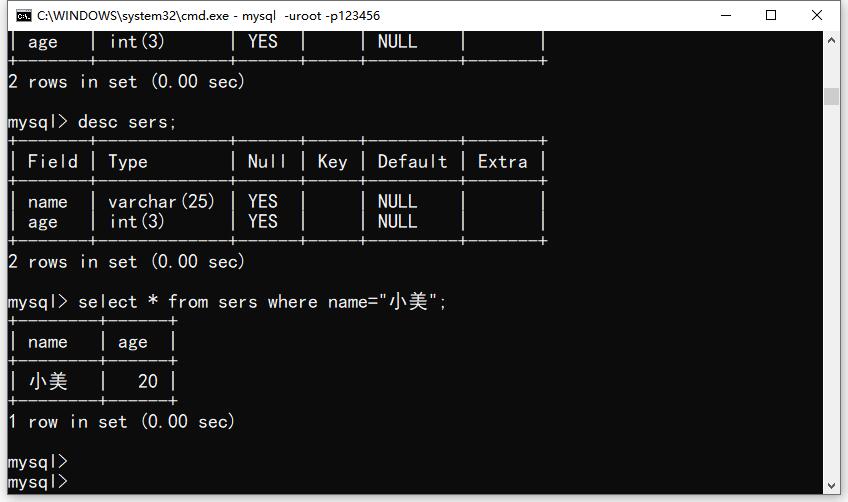
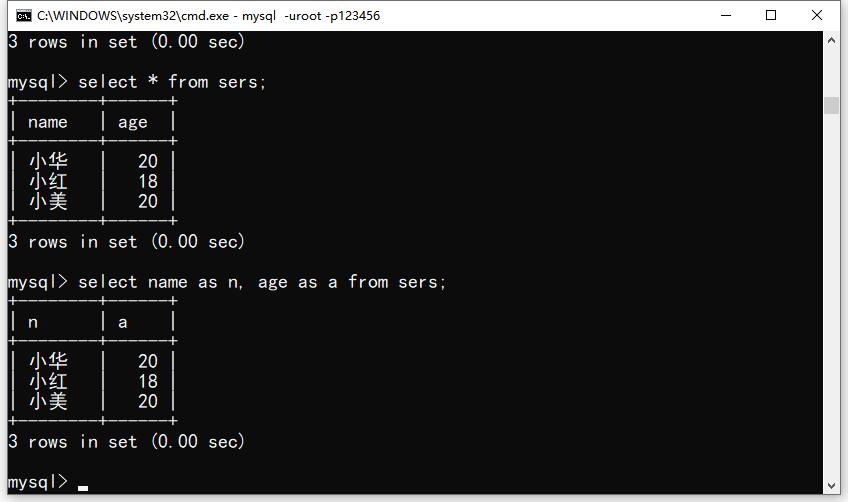
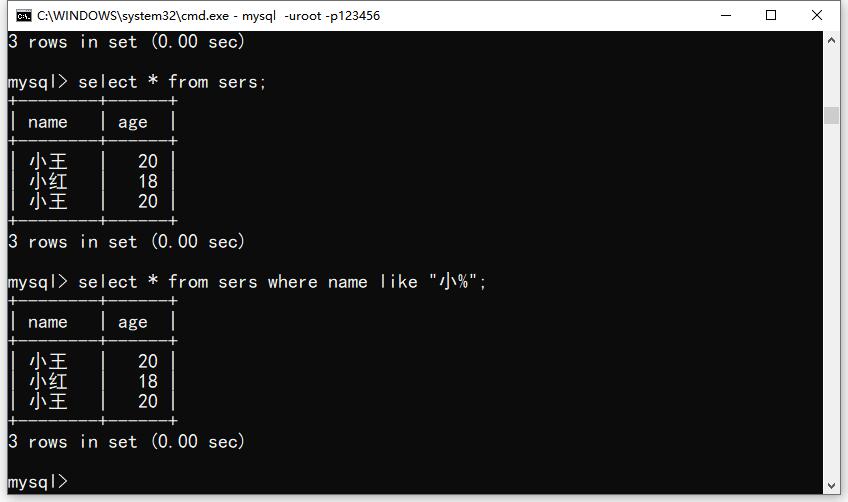
select * from sers; # 查询表所有内容
select * from sers where name="小美"; # 查询指定内容
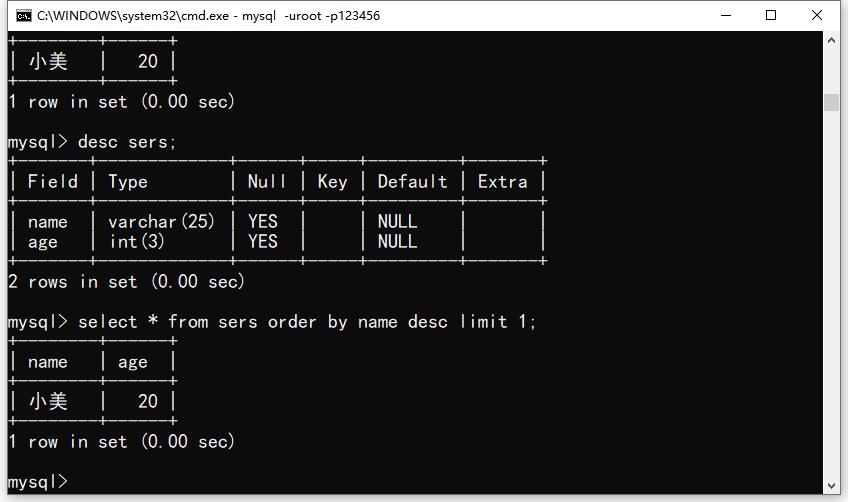
select * from sers order by name desc limit 1; # order by 字段排序 asc 升序 |desc 降序 limit 显示列数
select name as n, age as a from sers; # 修改显示别名
select * from sers where name like "小%"; # 查询关键字
insert 插入数据
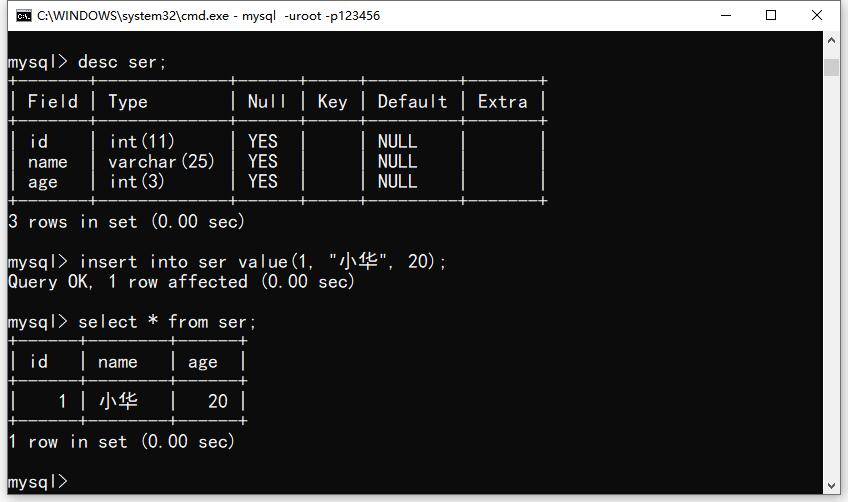
insert into ser value(1, "小华", 20); # 往ser表 插入单行数据
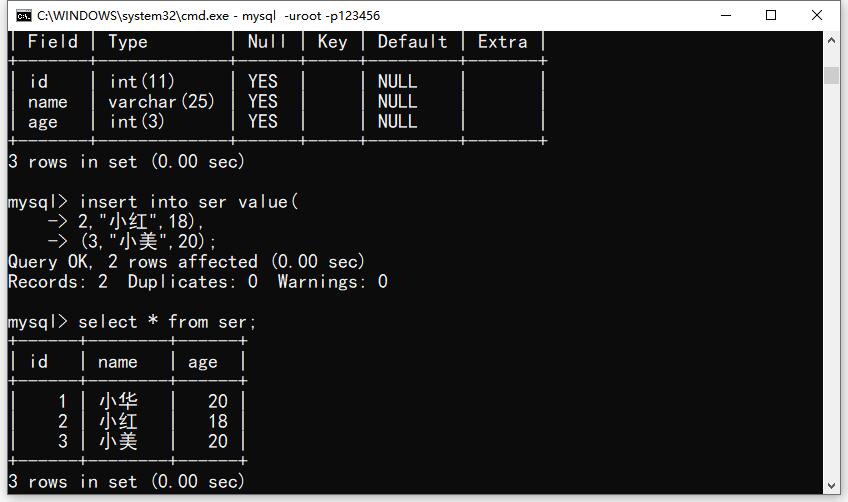
insert into ser value(
         2,"小红", 18),
        (3,"小美", 20);  # 往ser表 插入多行数据

select * from ser; # 显示表所有字段内容
drop 删除数据库
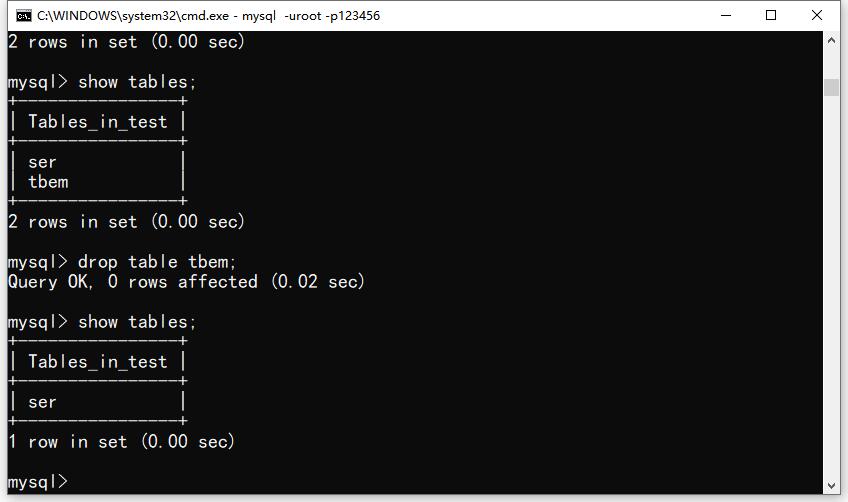
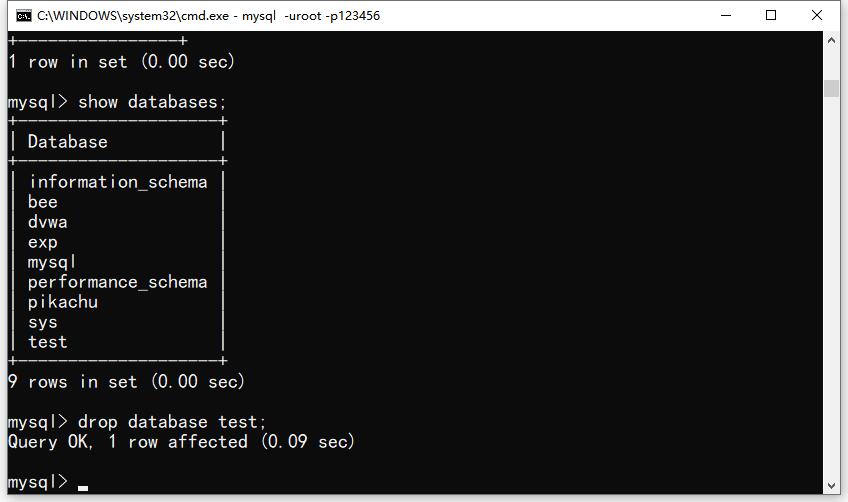
drop table tbem; # 删除表
drop database test; # 删除数据库
alter 修改表名
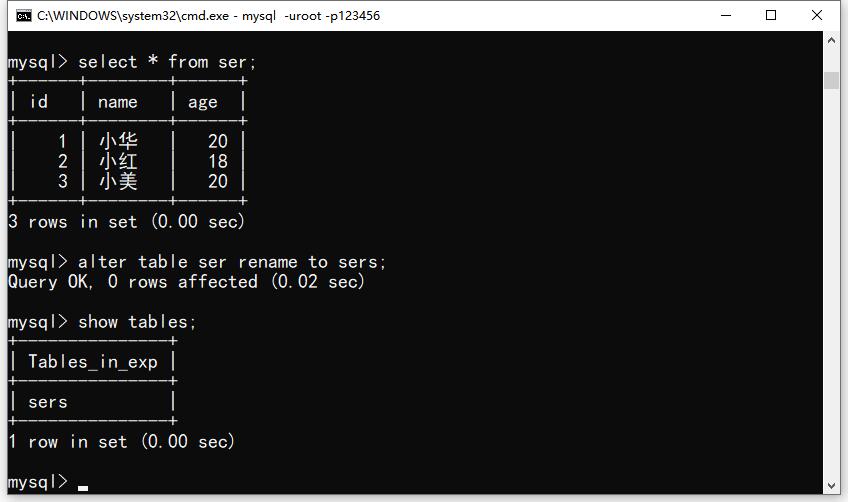
alter table ser rename to sers; # 修改表名
show tables # 显示表名
alter 修改类型
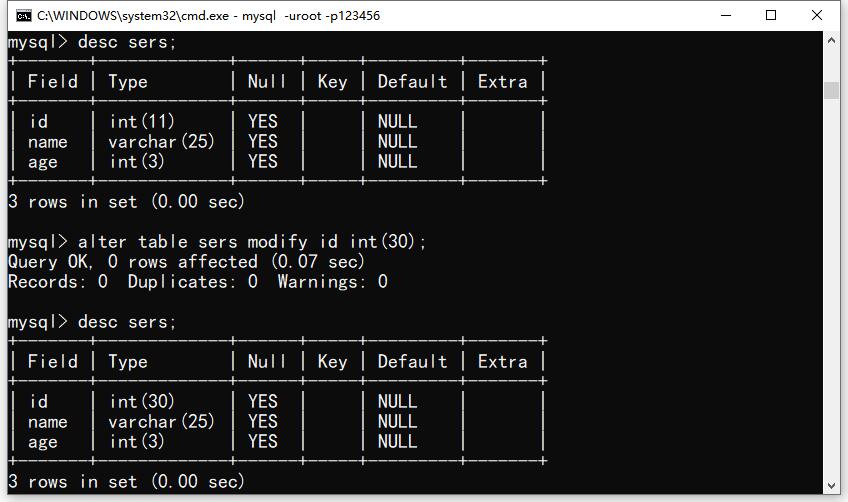
alter table sers modify id int(30); # 修改数据类型alter 删除字段
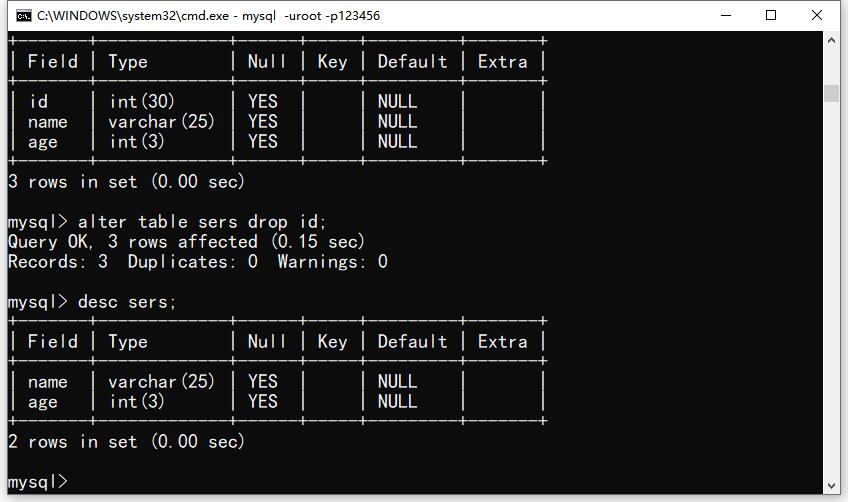
alter table sers drop id; # 删除字段delete 删除字段数据
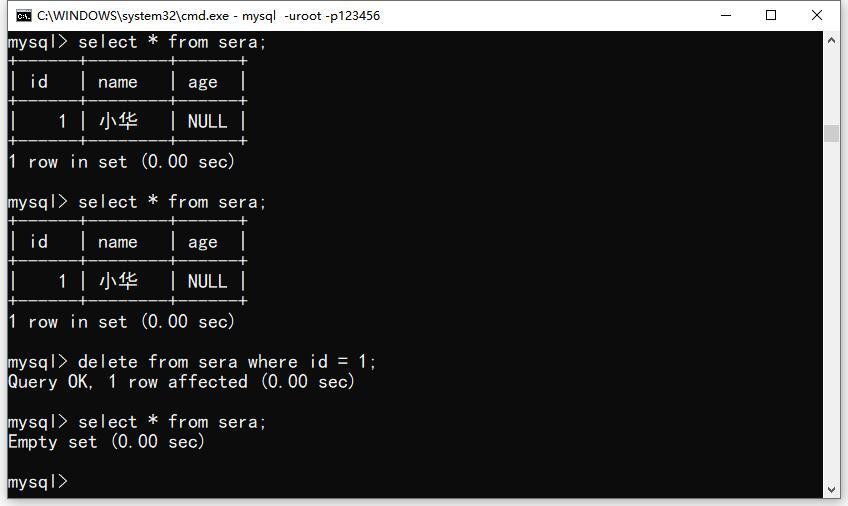
delete from sera where id=1; # 删除指定内容
update 修改内容
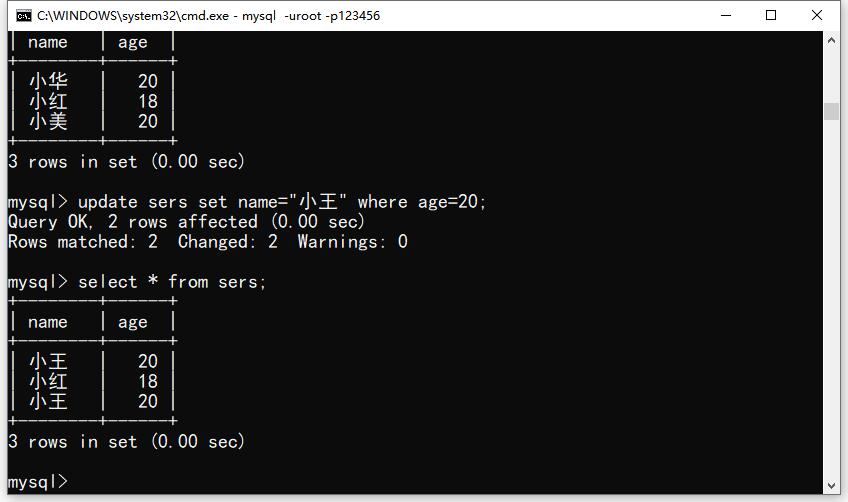
update sers set name="小王" where age=20; # 通过年龄指定修改名称(可以通过id指定)union 联合查询
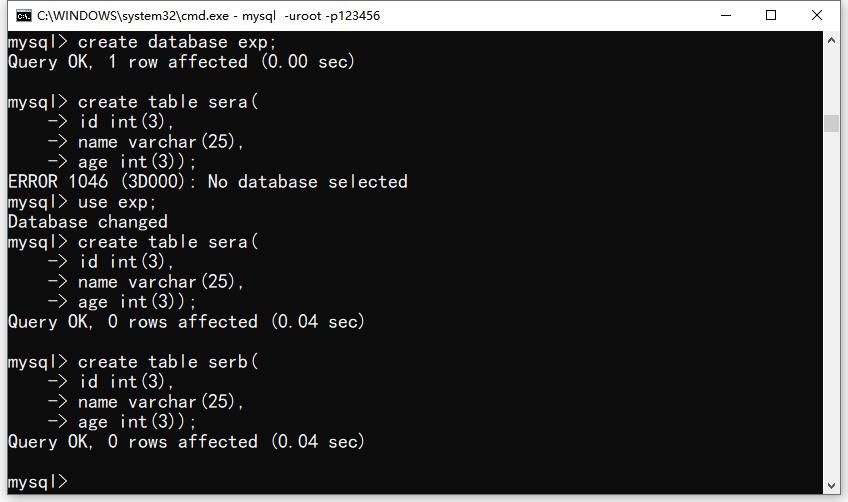
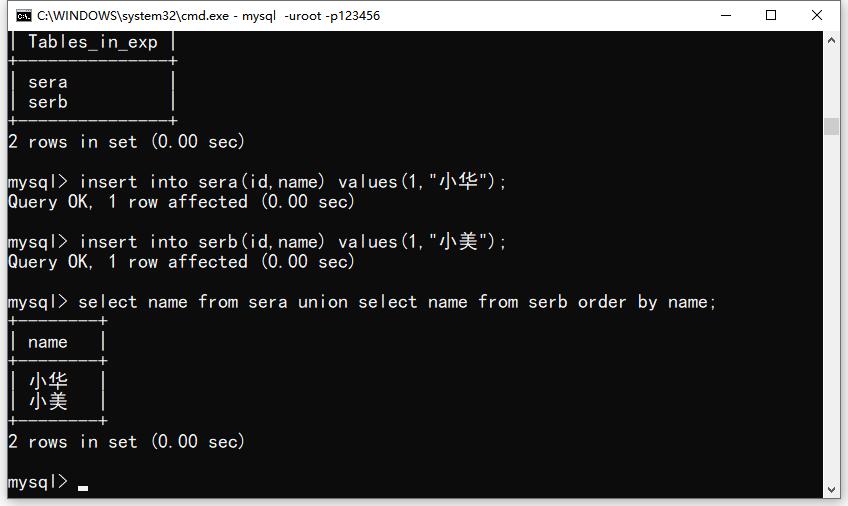
select name from sera union select name from serb order by name; # 联合两个表查询时间过得真快.. 这门课程已经结束了,只是基础语法先记录在这里了方便自己查阅。
安装配置
PPT版
第1章 数据库基础知识.pptx
第2章 MySQL基础.pptx
作业
学生信息(作业 创建这四个表格).xls
银行ATM机管理系统.docx
考试案例.doc
mysql案例.rar
启动MySQL服务
net start mysql(服务名)
停止服务
net stop mysql

登录指令
mysql -h 主机名 -u 用户名 -p
示例:mysql -h localhost -u root -p123456

退出MySQL指令:\q;quit;exit

修改密码:
mysqladmin -u 用户名 -p password 新密码

常用指令:
\c 取消当前输入的指令
\G 对查询结果进行排版
\s 获取当前数据库的状态
\u(use) 选择指定数据库

配置MySQL的编码格式
临时配置指令:
set character_set_client=gbk;


数据库基本操作指令

创建数据库:create database 数据库名;
create database 数据库名 character set 编码格式 collate 编码格式_bin;创建时指定数据库的编码格式.
备注:数据库名可以中文也可以英文单词

查看当前系统中的数据库列表
show databases;

查看当前数据库的创建信息
show create database 数据库名;

修改数据库的编码格式
alter database 数据库名 default character set=gbk collate gbk_bin;

删除指定数据库
drop database 数据库名;
drop database if exists 数据库名;

创建数据表的语法格式
create table [if not exists] 表名
(字段名 字段数据类型(长度约束) [字段约束],
...
创建外键
[constraint 外键名] foreign key(本表中的外键字段) references 主表表名(主表主键);
);

查看创建的数据库中得所有表格
show tables;

查询表中字段信息
describe|desc 表名;

查询表格的创建信息
show create table 表名;

删除表格
drop table [if exists] 表名;

修改表的编码格式
alter table 表名 default charset=编码格式;

修改表格结构
增加列
alter table 表名 add 列名  数据类型 [字段约束] [first|after 列名2];

删除列
alter table 表名 drop 列名;

修改列的数据类型
alter table 表名 modify 列名 数据类型;

改列名
alter table 表名 change 旧列名 新列名 数据类型;

改表名
alter table 表名 rename 新表名;
rename table 表名 to 新表名;

往表中插入数据
insert|replace [into] 表名[(列名1,列名2...)] values(数据1,数据2...),(数据1,数据2...);


查询数据记录
select *|字段名 from 表名;

修改表格记录
update 表名 set 需要修改的列=修改的值 [where 修改条件];

删除表格记录
delete from 表名 [where 删除条件];
truncate 表名;

数据查询语句结构:
select [distinct] 字段名|* from 表名1,表名2...
[where 筛选条件]
[group by 需要分组的字段]
[having 筛选条件]
[order by 需要排序的字段 asc|desc]
[limit [从指定行数开始查询,]查询的结果行数]

为查询字段取别名
select 字段名1 [as] 别名1,字段名2 [as] 别名2 from 表名;

条件查询
select *|字段名 from 表名 where 字段名 运算符 值;

多条件查询
select *|字段名 from 表名 where 字段名1 运算符 值 and|or 字段名2 运算符 值;

指定范围查询
select *|字段名 from 表名 where 字段名 [not] between 值1 and 值2;
select *|字段名 from 表名 where 字段名 [not] in(值1,值2...);

模糊查询
select *|字段名 from 表名 where 字段名 like 匹配的值;
通配符:
%:匹配任意长度字符串
_:匹配一个字符串

空值查询
select *|字段名 from 表名 where 字段名 is [not] null;

查询排序
select *|字段名 from 表名 order by 字段名1 [asc|desc],字段名2 [asc|desc]...;

查询结果分组
select *|字段名 from 表名 group by 字段名1,字段名2... [having 条件];

限制查询结果行数
select *|字段名 from 表名 limit [跳过的行数,]显示的行数;

集合函数
count(*|字段):返回某列的行数
sum(字段):返回某列数值的和,只能作用在存储纯数值的字段上
avg(字段):返回某列的平均值,只能作用在存储纯数值的字段上
max(字段):返回某列的最大值
min(字段):返回某列的最小值

多表链接
select 表名.字段名1 [别名],表名.字段名2 [别名]....|* from 表名1 [别名] 链接类型 表名2 [别名] on 链接条件 [where 筛选条件];

内连接
select 表名.字段名1 [别名],表名.字段名2 [别名]....|* from 表名1 join 表名2 on 表1字段 运算符 表2字段;
select 表名.字段名1 [别名],表名.字段名2 [别名]....|* from 表名1,表名2 where 表1字段 运算符 表2字段

外链接
select 表名.字段名1 [别名],表名.字段名2 [别名]....|* from 表名1 left|right|full join 表名2 on 表1字段 运算符 表2字段;

嵌套查询
select 字段名1 [别名]...|* from 表1 where 字段 运算符(子查询语句);

比较子查询
select 字段名1 [别名]...|* from 表1 where 字段 比较运算符(子查询语句);


包含多个值的牵头查询语句(in子查询)
select 字段名1 [别名]...|* from 表1 where 字段 in(子查询语句);

[not] exists运算符:子查询有结果集就为真
select 字段名1 [别名]...|* from 表1 where [not] exists(子查询语句);

any子查询:只要外查询的条件有一个满足就会输出结果
select 字段名1 [别名]...|* from 表1 where 字段 比较运算符 any(子查询语句);

all子查询:外查询的条件必须全部满足才会输出结果
select 字段名1 [别名]...|* from 表1 where 字段 比较运算符 all(子查询语句);

合并查询结果
select 字段名1 [别名]...|* from 表1 [where 条件]
union [all]
select 字段名2...|* from 表2 [where 条件]

当需要查询的数据在一个表中,但已知的条件不在同一个表中就用嵌套查询。
当需要查询的数据在多个表中就用多表查询。

用户会话变量赋值格式
格式1:set @变量名1=初值1,[@变量名2=初值2...];
格式2:selec
t @变量名1:=初值1,[@变量名2:=初值2...]
格式3:select 初值1 into @变量名1;

局部变量
begin
declare 变量名 数据类型 [default 初值];
end


函数结构
create function 函数名(参数1,参数2.....)
returns 返回数据类型
[函数选项]
begin
函数体;
return 返回值;
end;

delimiter //
修改结束符

查询函数创建信息
show create function 函数名;
查询函数基本信息
show function status like '函数名';
查询函数详细信息
select * from information_schema.routines where routine_name='函数名';

删除函数
drop function 函数名;

流程控制语句
if条件语句
if 条件表达式 then 语句块1;
[elseif 条件表达式2 then 语句块2;]...
[else 语句块n]
end if;

case条件语句
case 表达式
when 匹配值1 then 语句块1;
when 匹配值2 then 语句块2;
......
else 语句块n;
end case;

while循环语句
[循环标签:] while 条件表达式 do
循环体;
end while [循环标签];

leave语句:结束当前循环
iterate语句:跳过本次循环,进入下次循环

repeat循环语句
[循环标签:] repeat
循环体;
until 条件表达式
end repeat [循环标签];

loop循环语句
[循环标签:] loop
循环体;
if 条件表达式 then
leave [循环标签];
end if;
end loop;

数据完整性
删除主键语句
alter table 表名 drop primary key;

为已存在的表格添加主键
alter table 表名 add [constraint 主键名] primary key(作为主键的字段名);

删除唯一约束
alter table 表名 drop index 唯一约束名;

删除外键
alter table 表名 drop foreign key 外键名称;

为已经存在的表格添加外键
alter table 表名 add [constraint 外键名] foreign key(外键字段) references 主表表名(主表主键);

创建索引
创建表格时创建索引
create table 表名(
......
[unqiue|fulltext|spatial] index|key [索引名](字段[(长度)][asc|desc]))
)engine=存储引擎 default charset=字符集类型;

为已经存在的表格添加索引
1、create [unique|fulltext|spatial] index 索引名 on 表名(字段[(长度)][asc|desc]);
2、alter table 表名 add [unique|fulltext|spatial] index|key 索引名(字段[(长度)][asc|desc]);

删除索引
drop index 索引名 on 表名;

创建视图
create [or replace] view 视图名称[(视图字段名)] as select语句 with [cascaded|local] check option;
or replace:如果数据库中已经存在同名视图就替换视图,如果没有就创建新视图

修改视图
alter view 视图名 as 新select语句 with [cascaded|local] check option;

查询视图
查询定义语句:show create view 视图名;
查询所有视图:select * from information_schema.views;

删除视图
drop view 视图名1,视图名2...;

存储过程结构语句
create procedure 存储过程名称(in 参数名1 参数类型,out 参数名2 参数类型,inout 参数名3 参数类型)
[存储过程选项]
begin
存储过程语句块
end;

查看存储过程的语句
show procedure status like '存储过程名';
show create procedure 存储过程名;查看创建信息
select * from information_schema.routines where routine_type='procedure';查询所有数据库的存储过程

删除存储过程
drop procedure 存储过程名;

修改存储过程\函数语句
alter procedure/function 名称 [函数选项|comment|sql security definer|invoker];

创建触发器语句
create trigger 触发器名称 before|after insert|update|delete on 表名 for each row
begin
触发程序;
end;

查询触发器语句
show triggers [like '匹配的触发器名'];
show create trigger 触发器名;查询某个触发器的创建信息
select * from information_schema.triggers;

删除语句
drop trigger 触发器名;

开启事务的语句
start transaction;
提交事务的语句
commit;
回滚事务
rollback;

autocommit=0;关闭自动提交事务
autocommit=1;开启自动提交事务

事务保存点
savepoint 保存点;
回滚到指定保存点
rollback to savepoint 保存点;
删除保存点
release savepoint 保存点;

游标处理语句
1、声明游标
declare 游标名 cursor for select语句;
2、打开游标
open 游标名;
3、获取数据
fetch 游标名 into 变量1,变量2....;
处理错误的语句
declare continue|exit handler for 错误编号 处理语句;
4、关闭游标
close 游标名;

数据备份
select * into {outfile|dumpfile} '备份文件路径和文件名称' from 需要备份的表格;
数据恢复
load data [low_priority] [local] infile '恢复的文件' [replace|ignore] into table 需要恢复的表格;
mysqlimport -u user -p --lock-tables --replace 需要恢复的数据库 恢复的文件

添加读锁
lock tables 表名 read;
添加写锁
lock tables 表名 write;
解除锁
unlock tables;

数据库备份
mysqldump -u user -p [--default-character-set=gbk] {--all-databases|需要备份的数据库名 [表名1 表名2]}>备份文件路径及文件名
数据库恢复
mysql -u user -p 需要恢复的数据名<备份文件路径及文件名


添加用户语句
语句1
create user '用户名'@'主机名' identified by '密码',['用户名'@'主机名' identified by '密码']...;
语句2
grant privileges on 数据库名.表名 to '用户名'@'主机地址' identified by '密码',['用户名'@'主机名' identified by '密码']...;(8.0以后不支持该语句创建新用户)
语句3
insert into user(host,user,password,ssl_cipher,x509_issuer,x509_subject) values('主机地址','用户名',password('密码'),'','','');

删除用户
drop user '用户名'@'主机地址';
delect from user where user='用户名' and host='主机地址';

修改用户名
rename user '旧用户名'@'旧主机名' to '新用户名'@'新主机名';

修改密码
mysqladmin -u 用户名 -h 主机地址 -p password 新密码
update user set password=password('新密码') where user='用户名' and host='主机名';
set password=password('新密码');

查询用户权限
show grants for '用户名'@'主机名';

修改用户权限
grant privileges|all privileges on 数据库名.表名 to '用户名'@'主机地址' [with grant option];

收回权限
revoke privileges|all privileges on 数据库名.表名 from '用户名'@'主机地址' ;

刷新权限
flush privileges;
{/collapse-item}




评论 (0)